
The best AI tools for small businesses in 2026 share one trait: they replace a task an owner used to do themselves or pay someone else for, at a fraction of the cost. We picked five tools by the specific business function each one covers.
This post contains affiliate links — if you sign up through them, we may earn a commission at no extra cost to you. See our Affiliate Disclosure and Methodology for details.
Table of Contents
1. ClickUp — Best for Operations & Team Coordination
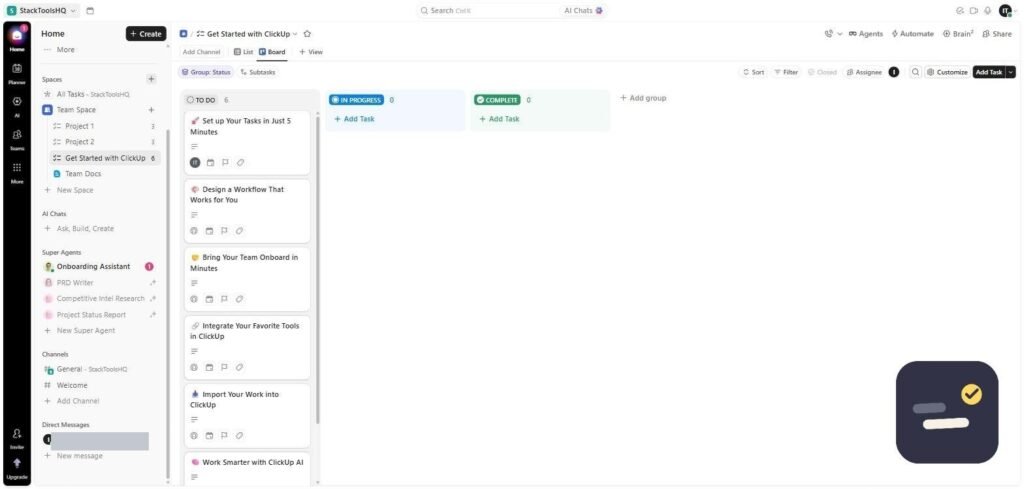
Once a small business has more than two or three people, task coordination stops fitting in a group chat. ClickUp gives every team member visibility into deadlines and ownership without a daily status meeting.
What it replaces: the daily status check-in, the “who is doing this?” message, and the spreadsheet where deadlines used to live. ClickUp Brain, its built-in AI, can summarize a project or draft a task description from a one-line note.
When we set up a real workspace for testing, the interface was not obvious at first — there are a lot of views and settings on screen at once. Brain actually helped here: asking it where to find something was faster than hunting through menus. Budget an afternoon for setup rather than ten minutes.
Who should skip it: a one- or two-person business with a simple task list. That is a Trello situation, not a ClickUp one — ClickUp starts paying off once several people need to see the same work.
Pricing: Free forever, paid from $7/user/month. Read our full ClickUp review.
2. GetResponse — Best for Email Marketing & Automation
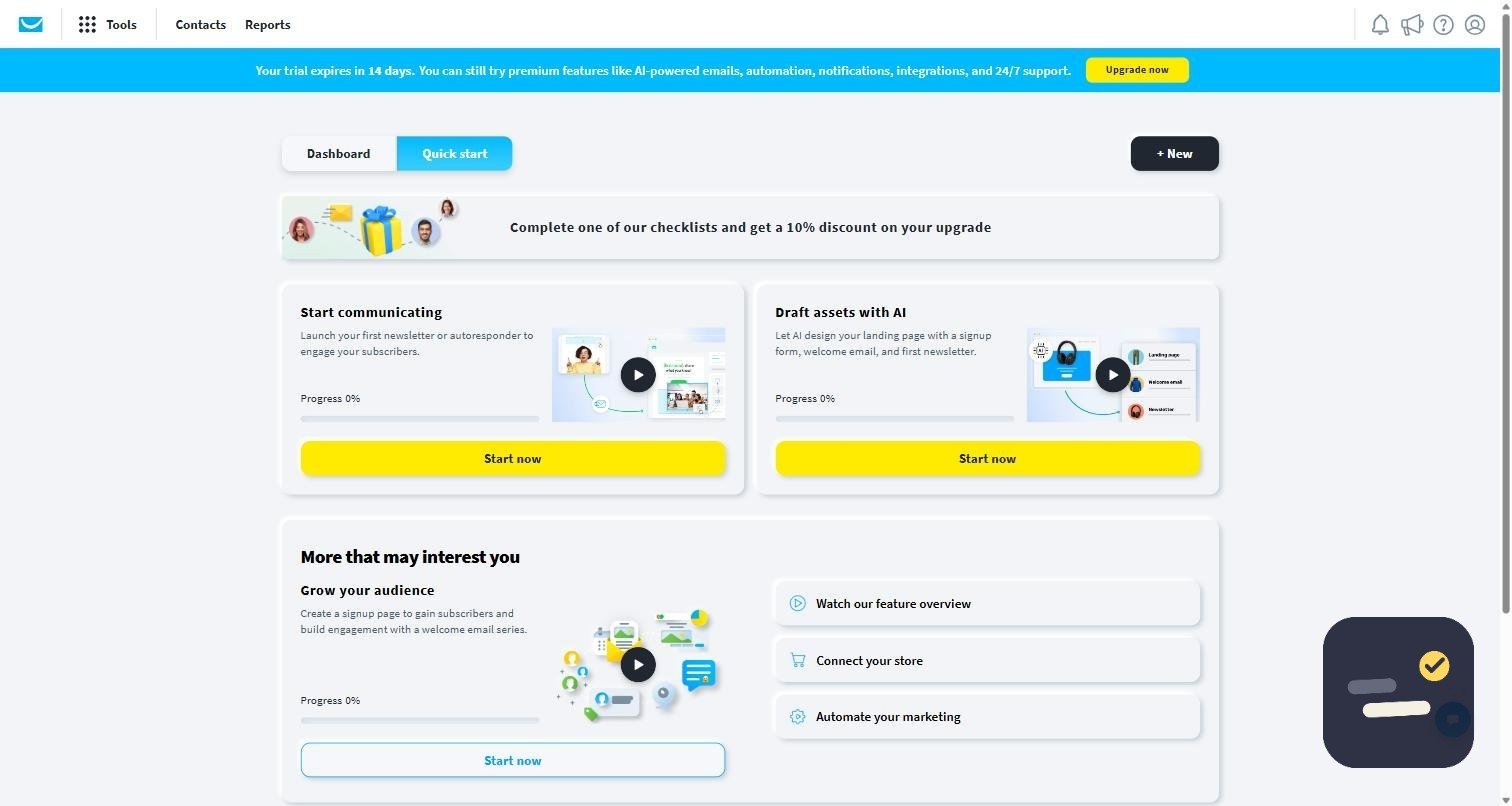
Small businesses often can’t justify a dedicated marketing hire, but automated email sequences still need to run — welcome series, abandoned cart reminders, re-engagement campaigns. GetResponse builds these without needing a marketing background.
What it replaces: the follow-up emails you keep meaning to send. Once a welcome sequence or a post-purchase follow-up is built, it runs whether or not anyone remembers it that week.
In testing, the quick-start screen walks you through a first list and a first campaign without much guesswork, and the AI features generate a usable subject line and body draft you then edit. Building the list is more work than sending to it, which is the part most people underestimate.
Who should skip it: anyone sending an occasional newsletter to a small list. A free tier elsewhere covers that — our GetResponse vs Mailchimp comparison covers where the line sits.
Pricing: From ~$15-19/month for 1,000 contacts. See our GetResponse vs Mailchimp comparison.
3. Canva — Best for Marketing Design
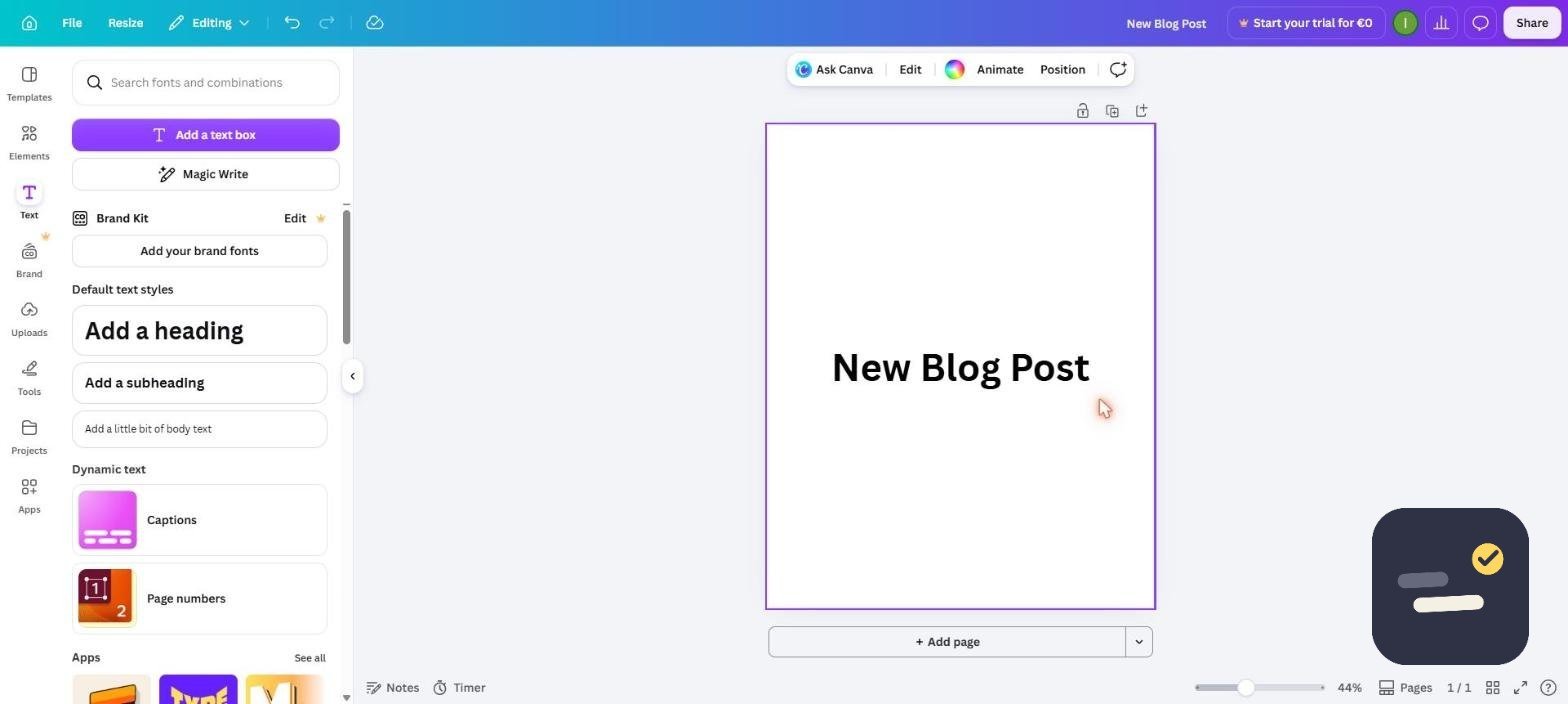
Social posts, flyers, and basic branding no longer require hiring a designer for every asset. Canva’s AI features generate first drafts and adapt existing designs across formats in minutes.
What it replaces: small freelance design jobs — the social post, the menu update, the one-page flyer. The time saving comes less from the AI features than from resizing one design into five formats without redoing the layout.
Setting up a brand kit on day one is the change that makes Canva worth paying for: fixed fonts and colors mean anyone on the team can produce something on-brand without design judgement. Without it, output drifts within a month.
Who should skip it: businesses needing print-ready vector work, packaging, or anything a printer will send back. Canva is a general-purpose tool, not a substitute for a designer on complex work.
Pricing: Strong free plan; Pro is $18/month.
4. Zapier — Best for Connecting Everything Else
Small businesses accumulate tools fast — a CRM, a scheduling app, an invoicing tool — and nobody has time to manually sync them. Zapier automates the handoff between whatever you’re already using.
What it replaces: copy-paste between tools. New form entry to CRM, paid invoice to spreadsheet, new client to onboarding checklist — the small handoffs that quietly eat an hour a week each.
The free plan is real but limited: single-step automations only, and a task count that a busy form or inbox trigger burns through faster than expected. Start with the two or three handoffs you personally do most often rather than trying to automate everything — our guide on automating daily tasks with AI covers how to pick them.
Who should skip it: businesses running on one or two tools that already talk to each other. Zapier earns its price when the stack is scattered.
Pricing: Free for 100 tasks/month. Read our full Zapier review.
5. Grammarly — Best for Client Communication
Every client-facing email, proposal, and invoice note is a small brand impression. Grammarly keeps tone and grammar consistent across everyone on the team who writes to clients.
What it replaces: the proofreading pass nobody has time for, and the awkward job of correcting a colleague’s writing. Grammarly catches the errors before they reach the client.
The tone suggestions matter more than the grammar ones for client work — a reply that reads as blunt when you meant it as brief is a more expensive mistake than a missing comma. In testing, suggestions appeared live as we typed rather than after the fact, which is what makes people actually use it.
Who should skip it: anyone hoping it will rewrite whole documents. It edits what you wrote; it does not write it for you.
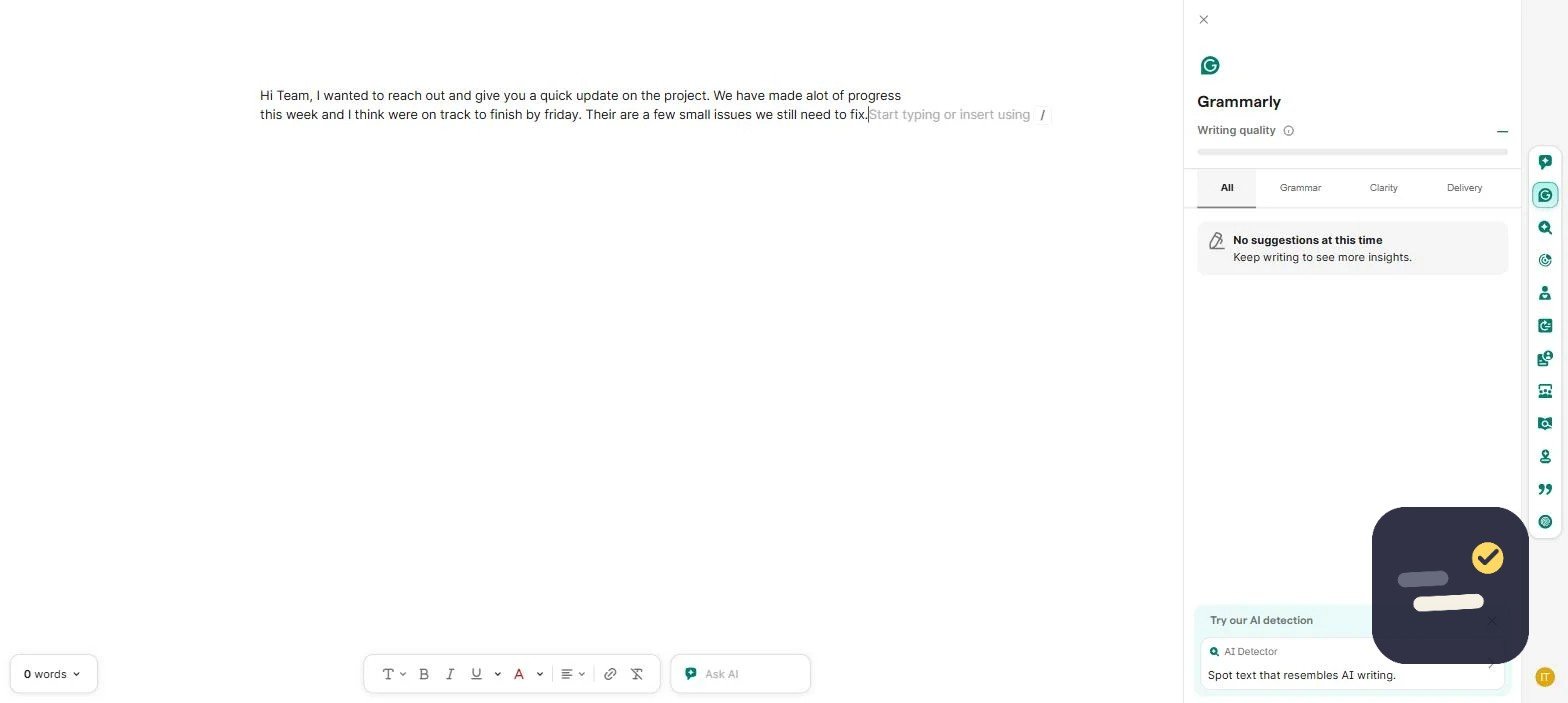
Pricing: Free tier usable; Business is $15/member/month. Read our full Grammarly review.
The Five Tools Side by Side
If you only read one part of this post, read the table. It is the same five tools, sorted by what they take off your plate rather than by what they call themselves.
| Tool | Takes over | Free plan | Paid from | Worth paying for when |
|---|---|---|---|---|
| ClickUp | Task ownership and deadlines | Yes, generous | $7/user/mo | More than 3 people share work |
| GetResponse | Email sequences that run themselves | Trial only | ~$15-19/mo | You have a list you email regularly |
| Canva | Everyday marketing design | Yes, generous | $18/mo | Two or more people make visuals |
| Zapier | Moving data between tools | Yes, 100 tasks/mo | $19.99/mo | You need multi-step automations |
| Grammarly | Client-facing writing quality | Yes, usable | $15/member/mo | Several people email clients |
Prices move, and every one of these vendors runs discounts on annual billing. Treat the column as a rough scale rather than a quote — check the current price before you commit a card.
How to Prioritize: Best AI Tools for Small Businesses by Budget
If you can only adopt one tool this quarter, start with whichever function is currently costing you the most owner hours — for most small businesses that’s either operations (ClickUp) or marketing (GetResponse). Design and automation tools are easier to add later since they layer on top of an existing workflow rather than replacing one. Among the best AI tools for small businesses, the free tiers on ClickUp, Canva, Zapier, and Grammarly are all generous enough to prove value before spending anything.
What This Costs in Practice
Three realistic starting points, depending on where the money is:
- $0/month: ClickUp free, Canva free, Grammarly free, Zapier free. This genuinely works for a solo owner or a two-person shop, and it is the right place to start.
- Around $40/month: add paid email (GetResponse) and Canva Pro. This is the point where marketing stops depending on someone remembering to do it.
- Around $100/month: paid ClickUp for a small team, paid Zapier for multi-step automations, plus the above. Below roughly five people, this is usually more than you need.
One thing worth saying plainly: the tools do not save money on their own. They save hours, and hours only turn into money if you actually spend them on something billable or on work you were going to hire out.
A Realistic 90-Day Rollout
Adopting five tools in one week is how businesses end up back in the group chat a month later. A slower sequence sticks better:
- Weeks 1-3: one tool only, on the function costing you the most hours. Move real work into it, not test data.
- Weeks 4-6: add the writing or design tool — low training cost, immediate visible benefit, which helps the team accept the next change.
- Weeks 7-10: add email automation and build exactly one sequence end to end.
- Weeks 11-13: add automation last, connecting the tools you have now proven you use.
Mistakes That Waste the Budget
- Paying for a plan on day one. Every tool here has a free tier or trial long enough to answer the only question that matters: will anyone use it?
- Adopting a tool nobody owns. If no one is responsible for keeping it current, it becomes another abandoned tab within six weeks.
- Running the old system in parallel “just in case”. Two sources of truth is worse than either one alone.
- Treating AI output as finished. Prices, names, and client details still need a human check — our post on common mistakes with AI productivity tools covers where this goes wrong most often.
- Buying for the business you plan to be in two years instead of the one you run this month.
If you are still deciding between categories rather than products, our guide on how to choose the right productivity tool walks through the decision before the free trial starts.
Frequently Asked Questions
What’s the best free AI tool for a small business just starting out?
ClickUp for operations and Canva for design both have free tiers generous enough to run a small business on before paying for anything.
How much should a small business budget for AI tools?
Most small businesses can run a solid stack for $50-150/month total across 3-4 tools, starting with free tiers and upgrading only the tool tied most directly to revenue.
Should a small business use one all-in-one tool or several specialized ones?
Specialized tools for distinct jobs (tasks, email, design) usually outperform one tool trying to do everything, at a similar or lower total cost.

Written by Ivan T.
Founder of StackToolsHQ. Writes hands-on reviews and comparisons of productivity and AI tools for freelancers, small teams, and remote workers. More about this site.