
Quick verdict on GetResponse vs Mailchimp: GetResponse wins on value and automation at almost every list size above 1,000 contacts. Mailchimp still wins on pure ease of use and design polish for absolute beginners. Since Mailchimp cut its free plan to 250 contacts and removed automation from lower tiers, the gap has widened in GetResponse’s favor for most small businesses. For a start-to-finish walkthrough of a first automation, see how to automate your daily tasks with AI.
Pricing checked against each vendor’s own pricing page on 26 August 2026. Vendors change plans often — confirm before you buy.
This post contains affiliate links — if you sign up through them, we may earn a commission at no extra cost to you. See our Affiliate Disclosure and Methodology for details.
Table of Contents
At a Glance
Pick GetResponse if…
- You want automation and webinars included, not gated
- You’re growing past 1,000 contacts and want predictable pricing
Pick Mailchimp if…
- You’re a complete beginner who wants the gentlest learning curve
- You already use Shopify, Canva, or WordPress integrations heavily
GetResponse vs Mailchimp: Pricing (2026)
| Contacts | GetResponse | Mailchimp |
|---|---|---|
| Free plan | Available, limited features | 250 contacts only (cut from higher limit) |
| 1,000 contacts | ~$15-19/month, automation included | ~$20-30/month (Standard) |
| 2,500 contacts | ~$45-65/month | ~$45-65/month |
| 10,000 contacts | ~$119-169/month | ~$138-184/month |
The pattern holds across almost every list size: GetResponse includes automation and webinars at tiers where Mailchimp gates the same features behind a more expensive plan.
The Pricing Details That Change the Answer
Monthly headline prices are the least reliable part of any email tool comparison, because both platforms bill on contact count and both count contacts in ways that surprise people:
- Unsubscribed and inactive contacts can still sit in your billable total until you clean the list. Cleaning it quarterly is the cheapest optimization available on either platform.
- The same person on two lists may be billed twice depending on how you structure things.
- Annual billing typically knocks a meaningful amount off both, so the monthly figures above are the worst case rather than the real one.
- The tier jump matters more than the rate. Crossing a contact threshold can cost more than a year of the discount you negotiated.
Before comparing anything, take your actual contact count, add the growth you genuinely expect in twelve months, and price both platforms at that number instead of today’s. The answer flips surprisingly often.
How We Compared Them
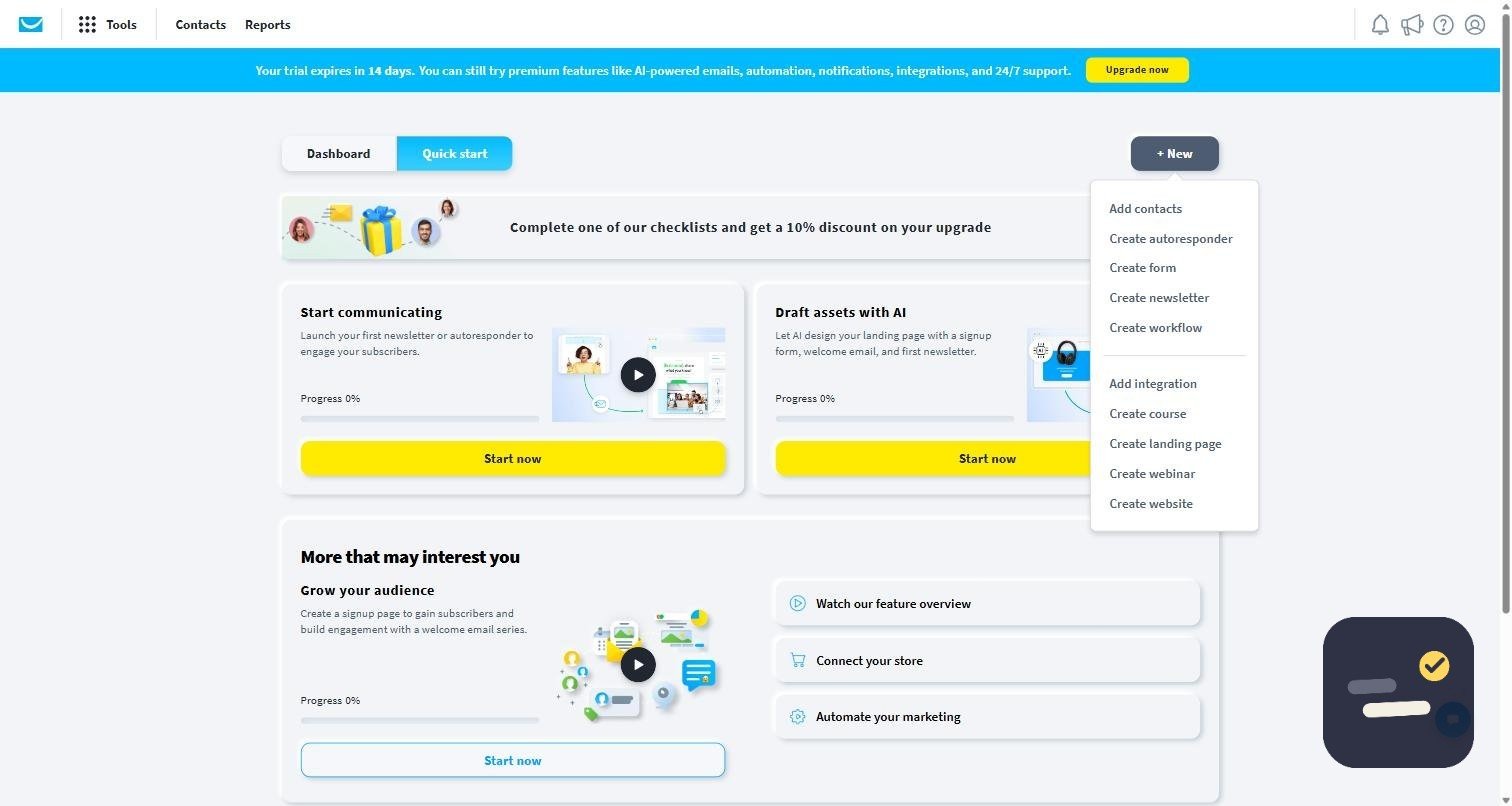
We built a real GetResponse account on the free trial, created a list, and set up a campaign from the quick-start screen — so the notes on its editor and automation come from using it, not from its marketing pages. The Mailchimp side of this comparison is based on its published plans, feature limits, and documentation. We would rather say which half was hands-on than pretend both were; our methodology page explains how we handle that.
Automation: Where the Gap Is Widest
Automation is the feature people buy email software for and the one they evaluate last. Both platforms give you a visual builder where you drag triggers and actions onto a canvas, and both handle the basics — someone subscribes, they get a welcome email, then a second one three days later.
The difference shows up one step further in. Branching on behavior (opened but did not click, clicked but did not buy), waiting for a condition rather than a fixed delay, and scoring contacts based on what they do are where sequences stop being newsletters and start being sales processes. GetResponse includes that depth on its lower paid tiers; Mailchimp has historically reserved the more capable journey features for higher plans, which is what makes the price comparison above misleading if you only look at the monthly number.
A practical test before you commit to either: try to build a three-branch sequence on the cheapest plan that would cover your list size. If the plan blocks a branch you actually need, the cheaper tool is the more expensive one.
Editor, Templates, and Design
Mailchimp wins this one, and it is not particularly close. Its templates look current, the editor is forgiving, and a first campaign built by someone with no design instinct usually still looks fine. That matters more than experienced marketers admit — the tool people find pleasant is the tool that actually gets used every week.
GetResponse is functional rather than delightful. The editor works, the templates are adequate, and once you have your own layout saved the difference mostly disappears. If you are pairing an email tool with a design tool anyway, our Canva review covers the usual companion for making the images that go inside these emails.
Integrations and Ecosystem
Mailchimp has the larger ecosystem and the deeper native connections, particularly for ecommerce and content sites — Shopify, WooCommerce, and WordPress plugins that other people have already written tutorials for. If your store is your business, that is a real advantage.
GetResponse covers the common integrations and leaves the rest to Zapier, which closes most gaps for a small business but adds another subscription once you need multi-step automations. Count that cost before declaring one platform cheaper.
Webinars and the Extras Nobody Compares
GetResponse bundles webinar hosting, landing pages, and basic funnels into its paid plans. If you would otherwise pay separately for webinar software, the comparison stops being about email at all — one subscription replaces two. If you will never run a webinar, ignore the feature entirely rather than paying for it in the plan price.
This is the honest way to compare bundles: only count the extras you would have bought anyway. Everything else is a feature list, not value.
Where Each Platform Actually Wins
GetResponse wins on automation depth, built-in webinar hosting, and overall value as your list grows — features Mailchimp increasingly reserves for its pricier tiers. Mailchimp wins on design polish and beginner-friendliness, plus deeper integrations with Shopify, Canva, and WordPress that content-focused businesses rely on.
Deliverability and Support
Deliverability is the feature nobody markets and everybody notices. Both platforms are established senders with good infrastructure, and at small-business volumes the difference between them is far smaller than the difference between a clean, engaged list and a list you bought or neglected. Authentication (SPF, DKIM, and a domain you actually own) will do more for your inbox placement than switching providers ever will.
On support, GetResponse offers live chat on paid plans, which matters when a sequence misfires on a Friday afternoon. Mailchimp’s support level scales with the plan you are on, and its free tier is largely self-service — worth knowing before you rely on it during a launch.
Choose Based on Your Situation, Not the Feature List
| Your situation | Better pick | Why |
|---|---|---|
| Under 250 contacts, sending occasionally | Mailchimp | The free plan covers you and the editor is gentler |
| 1,000+ contacts and growing | GetResponse | Automation is included where Mailchimp charges more for it |
| Shopify or WooCommerce store | Mailchimp | Native ecommerce integrations and existing tutorials |
| You run webinars or want landing pages | GetResponse | Bundled, so it replaces a second subscription |
| First email tool, no marketing background | Mailchimp | Lowest friction to a first campaign |
| Behaviour-based sequences on a budget | GetResponse | Branching and scoring on lower paid tiers |
Switching From Mailchimp: What to Expect
Migrating a list is easier than people fear; migrating automations is harder than they expect. Contacts export and import cleanly as a CSV, tags and custom fields usually survive with a bit of mapping, and past campaign statistics do not come with you — export any reporting you care about before you close the account.
- Export contacts, tags, and custom fields from Mailchimp first, and keep the file.
- Rebuild automations by hand rather than trying to replicate them one-to-one — most people find half their old sequences were never doing anything.
- Warm up gradually: send to your most engaged contacts first rather than blasting the full list from a new sender.
- Keep the old account open, unpaid, for a month in case something was living in it that you forgot.
Set aside an afternoon, not a week. The part that takes real time is deciding which sequences deserve to exist, and that work would have been worth doing anyway.
GetResponse vs Mailchimp: Our Verdict
For most small businesses starting fresh in 2026, GetResponse is the stronger pick — more automation, built-in webinars, and better value at nearly every list size, with no hidden per-contact billing surprises. Mailchimp still makes sense if you’re already deeply integrated with Shopify or Canva, or if you want the absolute gentlest onboarding as a first-time email marketer. If you’re building out a broader toolkit, see our best AI tools for freelancers guide for what to pair an email tool with.
Frequently Asked Questions
Is GetResponse cheaper than Mailchimp?
Usually yes once automation is factored in — GetResponse includes features at lower tiers that Mailchimp gates behind pricier plans, especially above 1,000 contacts.
Does Mailchimp still have a good free plan?
It’s been reduced significantly — down to 250 contacts with automation removed from the free tier, making it much less generous than it used to be.
Which is better for ecommerce?
Mailchimp has an edge for Shopify-heavy stores due to deeper native integration, while GetResponse’s automation and webinar tools suit ecommerce brands running product launches.

Written by Ivan T.
Founder of StackToolsHQ. Writes hands-on reviews and comparisons of productivity and AI tools for freelancers, small teams, and remote workers. More about this site.