
The best AI tools for content creators in 2026 span writing, design, and editing — and the right stack depends on which of those three eats the most of your week. We picked five, organized by the bottleneck each one solves.
Table of Contents
1. Jasper — Best for Long-Form Writing
For blog posts, scripts, and long-form content where consistent brand voice matters across many pieces, Jasper’s Brand Voice feature remains best-in-class among AI writers.
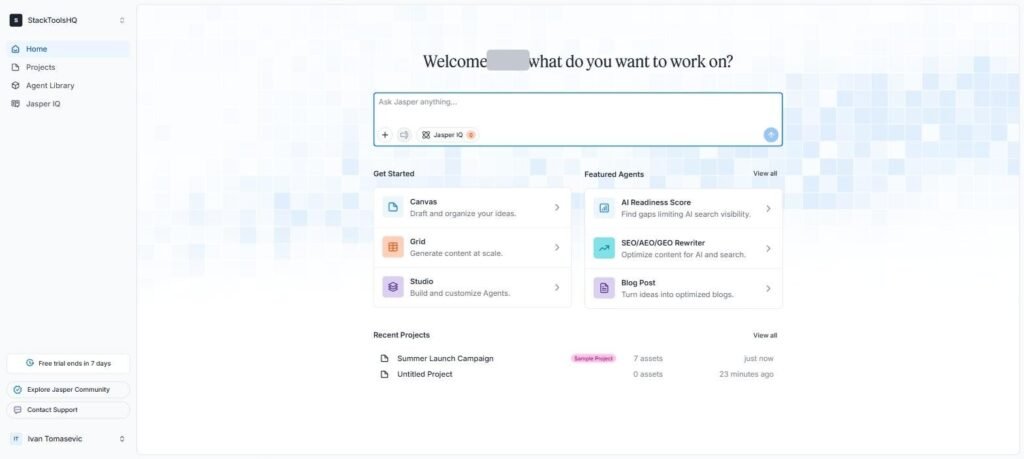
Pricing: From ~$39/month. Read our full Jasper AI review.
2. Canva — Best for Visual Content
Thumbnails, social graphics, and quick video edits all live in one place, with Magic Studio AI handling background removal and resizing across formats in seconds.
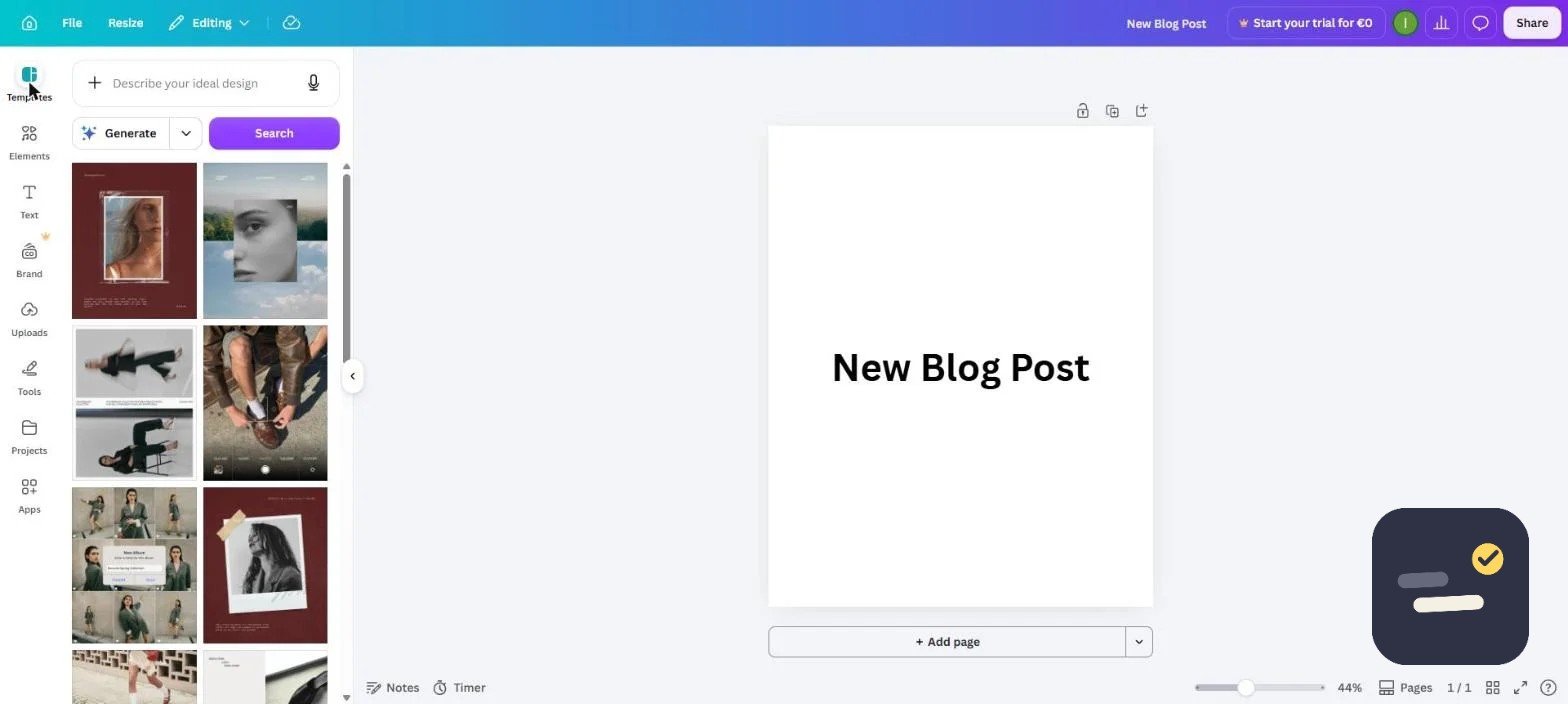
Pricing: Free plan is genuinely usable; Pro from $13.99/month. See our full Canva review.
3. Grammarly — Best for Editing and Polish
Whatever you draft elsewhere, Grammarly catches tone mismatches, clarity issues, and errors before publishing — it works inside the browser, docs, and most writing apps rather than requiring a separate workflow.
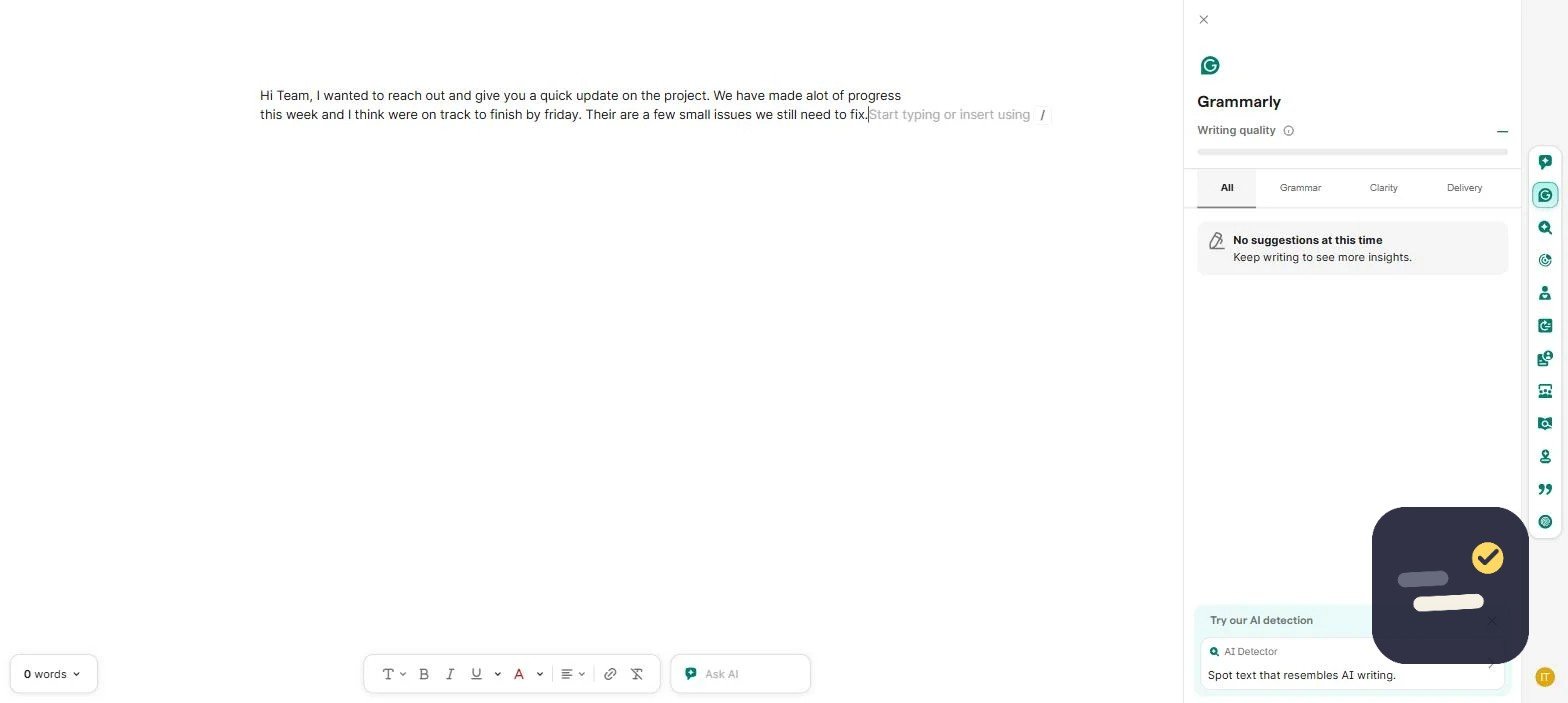
Pricing: Free tier covers basics; Pro from $12/month. Read our full Grammarly review.
4. Copy.ai — Best for Fast Short-Form Copy
Captions, hooks, and short social copy come out fast, and the free plan (2,000 words/month) is genuinely usable, not just a trial. See our Jasper vs Copy.ai comparison for the full picture.
5. Notion AI — Best for Organizing Ideas and Research
Before content gets written, it needs to be planned — Notion AI’s cross-workspace search is genuinely useful for pulling together research notes, past scripts, and content calendars into one searchable place. If you want the full setup, here is how I organize my work in Notion, step by step.
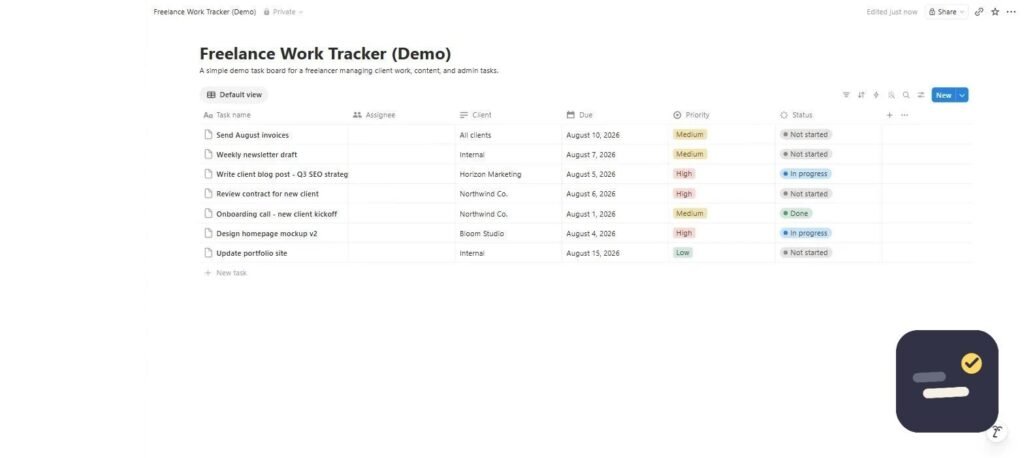
Pricing: AI add-on from $10/member/month. See our full Notion AI review.
How to Build Your Content Creation Stack
Don’t adopt all five best AI tools for content creators at once. Start with whichever bottleneck costs you the most time each week — usually writing or design — get comfortable with one tool, then add the next only once the first is a genuine habit, not an experiment.
Frequently Asked Questions
What’s the single best AI tool for content creators on a budget?
Canva’s free plan covers the most ground for visual content at zero cost, and Copy.ai’s free tier does the same for short-form writing.
Do I need both Jasper and Copy.ai?
Not usually. Pick based on your primary content length — Jasper for long-form, Copy.ai for fast short-form copy — rather than running both from day one.
Should content creators use AI for everything?
No. AI tools work best for drafts, editing, and repetitive production tasks — the creative direction and final judgment calls are still worth doing yourself.
How We Picked These Five Tools
Content creation breaks down into three real bottlenecks: writing, visuals, and polish. Rather than listing every AI tool on the market, we picked one clear winner per bottleneck, based on actually using each tool for real content over multiple weeks rather than reading spec sheets. A tool made this list only if it solved its specific bottleneck faster than doing it manually, and only if the free or entry tier was usable enough to actually evaluate honestly — several tools we tested didn’t make the cut because their free tier was too limited to judge fairly.
Free vs Paid: What You Actually Need to Start
You don’t need all five tools, and you definitely don’t need to pay for all five on day one. Grammarly’s free tier and Canva’s free tier are both genuinely usable long-term — start there. Notion AI is worth adding once you’re organizing more than a handful of content ideas at once, since a free notes app or spreadsheet reaches its limit fast for research and idea tracking. Jasper and Copy.ai are the two paid-from-day-one tools on this list; neither has a free tier worth using seriously, so only add one of them once writing volume is genuinely your bottleneck, not before.
Jasper vs Copy.ai: Which One Do You Actually Need
This is the most common question we get about this list, and the answer depends entirely on content length. Jasper’s Brand Voice and long-form templates are built for blog posts, scripts, and anything over 500 words where consistency across many pieces matters. Copy.ai is built for volume on short-form — ad variations, social captions, product descriptions — where you need dozens of quick variants fast rather than one polished long piece. Most solo creators need one or the other, not both; pick based on whether your bottleneck is depth (Jasper) or volume (Copy.ai).
Common Mistakes When Building an AI Content Stack
The biggest mistake we see is subscribing to every tool at once before identifying the actual bottleneck — most creators overspend on writing tools while their real bottleneck is visuals, or vice versa. Track where your time actually goes for two weeks before adding a paid tool; the answer is often different from what you’d assume. The second mistake is treating AI output as publish-ready without editing — every tool on this list produces a first draft, not a final version, and skipping the review pass is the fastest way to publish something that reads as obviously AI-generated.
Content Creator Stack by Budget
| Budget | Stack | Monthly cost |
|---|---|---|
| $0 | Canva Free + Grammarly Free | $0 |
| Starter | Canva Free + Grammarly Pro | ~$12/month |
| Growing | Canva Pro + Grammarly Pro + Notion AI | ~$36/month |
| Full stack | Add Jasper or Copy.ai for volume writing | ~$75-95/month |
Most solo creators plateau comfortably at the “Growing” tier — the jump to a paid writing tool only pays off once content volume, not quality, becomes the actual constraint on output.
Tools We Tested But Didn’t Include
Worth mentioning what didn’t make the list and why. Several all-in-one “AI content suites” promise to replace this entire stack in one subscription, but in testing they consistently underperformed the specialized tool at each individual task — a jack-of-all-trades writing-plus-design tool wrote worse copy than Jasper and produced weaker visuals than Canva. Standalone AI image generators were also excluded, since most content creators need branded, template-consistent visuals more than fully original AI-generated art, which is exactly what Canva already covers.
Notion AI for Content Research: A Closer Look
Notion AI’s real value for content creators isn’t drafting finished posts — it’s the research and organization layer underneath. Dumping raw notes, competitor examples, and half-formed ideas into a Notion database and letting AI summarize, tag, and cluster them saves the hours that usually go into manually organizing a content calendar. It works best paired with one of the writing tools above rather than as a replacement for either — use it to organize what you’re going to write about, then hand the actual drafting to Jasper or Copy.ai once the idea is clear.
How Long It Takes to See a Return on Each Tool
Canva and Grammarly pay for themselves almost immediately since the free tiers already deliver most of the value — Pro just removes friction. Jasper and Copy.ai take longer to justify: at $39-49/month, you need to be publishing consistently enough that the time saved on drafts genuinely exceeds a few hours a month, which for occasional creators can take two or three months of use to actually feel. If you’re publishing less than weekly, hold off on the paid writing tools until volume picks up — the math doesn’t work in your favor yet.
Switching Tools Later Without Losing Work
One underrated factor when picking a stack: how easy it is to leave. Canva and Notion both export cleanly (PNG/PDF and Markdown/CSV respectively), so switching away later doesn’t strand your work. Grammarly doesn’t store your documents in a proprietary format at all — it edits wherever you already write. Jasper and Copy.ai are the two where content lives inside their platform by default; export your drafts regularly if you’re not fully committed to either long-term, since neither makes bulk export particularly obvious in the interface.