
What is a CRM, in plain terms? A Customer Relationship Management system is software that tracks every interaction you have with a lead or client — so nothing lives only in someone’s inbox or memory. If you’re still managing client contacts through spreadsheets and email search, here’s how to know when it’s actually time to switch.
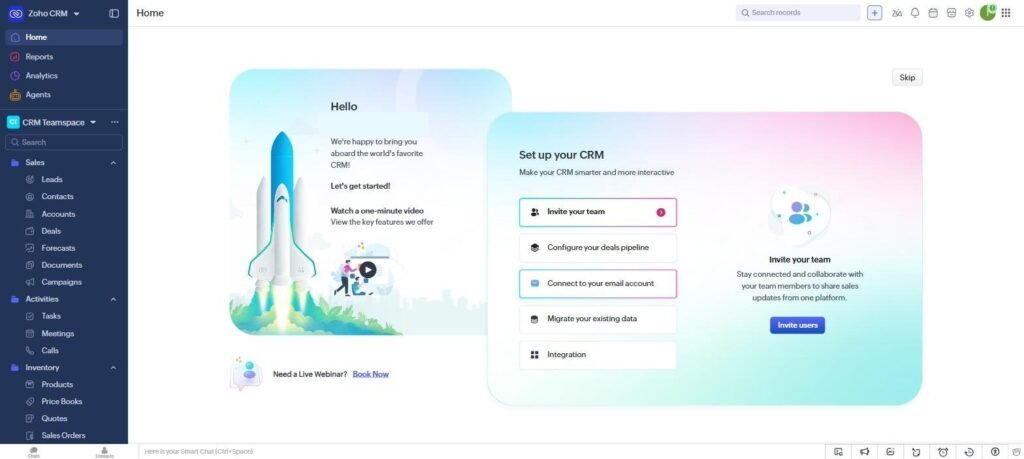
Table of Contents
What Is a CRM? What It Actually Does
At its core, a CRM stores contact details, tracks every email, call, and meeting tied to a lead or client, and shows where each deal sits in your sales process — from first contact to closed sale. Instead of asking “did anyone follow up with this lead,” the answer is visible in one place, to anyone on the team who needs it.
Signs You Actually Need One
- You’ve lost track of a lead because a follow-up email got buried
- More than one person needs to see client history, not just whoever has the email thread
- Your spreadsheet of contacts has started needing its own spreadsheet to manage
- You can’t answer “how many deals are we actively working” without checking multiple places
If none of these sound familiar yet, a CRM is probably premature — spreadsheets and a shared inbox work fine below a certain scale, and adding a CRM too early just adds setup overhead without a real problem to solve.
What a CRM Is Not
A CRM isn’t a project management tool (that’s ClickUp’s job) and it isn’t an email marketing platform on its own, though many CRMs bundle basic versions of both. It’s specifically about tracking relationships and deals over time — who you’ve talked to, what was said, and what happens next.
Free vs Paid: Where to Start
Most CRMs offer a free tier that’s genuinely usable for a small team’s first few months — enough to prove the concept before paying anything. Zoho CRM’s free plan supports 3 users and basic automation; HubSpot’s free CRM supports 2 users but withholds automation until a paid tier. For a full breakdown, see our HubSpot vs Zoho CRM comparison.
Frequently Asked Questions
Does a freelancer need a CRM?
Usually not until you’re juggling enough active clients that a spreadsheet stops being enough — a free-tier CRM is worth trying once that happens, not before.
What’s the difference between a CRM and an email list tool?
An email list tool (like GetResponse or Mailchimp) sends campaigns to many contacts at once. A CRM tracks individual relationships and deal stages — different jobs, though some platforms blend both.
Can I switch from a spreadsheet to a CRM without losing my data?
Yes — most CRMs support CSV import, so existing contact spreadsheets can be uploaded directly rather than re-entered by hand.
For a more technical breakdown, Salesforce’s own explainer on what a CRM is covers the enterprise-scale version of these same concepts, though most freelancers and small teams only need a fraction of what large-scale CRM platforms offer.
One practical note worth adding: the biggest reason small teams regret adopting a CRM is not the software itself, it is starting with too many custom fields and pipeline stages before anyone has used the system for a single real deal. Start with the default setup, run a handful of actual deals through it, and only customize fields once a genuine gap shows up in practice. Teams that follow this order tend to stick with their CRM; teams that spend the first week configuring everything before ever logging a contact tend to abandon it within a month.

Written by Ivan T.
Founder of StackToolsHQ. Writes hands-on reviews and comparisons of productivity and AI tools for freelancers, small teams, and remote workers. More about this site.